
For coffee shops, milk tea, bakeries and small stores
Sell faster and know your sales, right on your phone.
AIAH POS turns an Android phone into a cash register. It prints receipts, tracks stock and shifts, rewards your suki, and keeps working even without internet.
- Works offline
- Bluetooth receipts
- Android phones and tablets
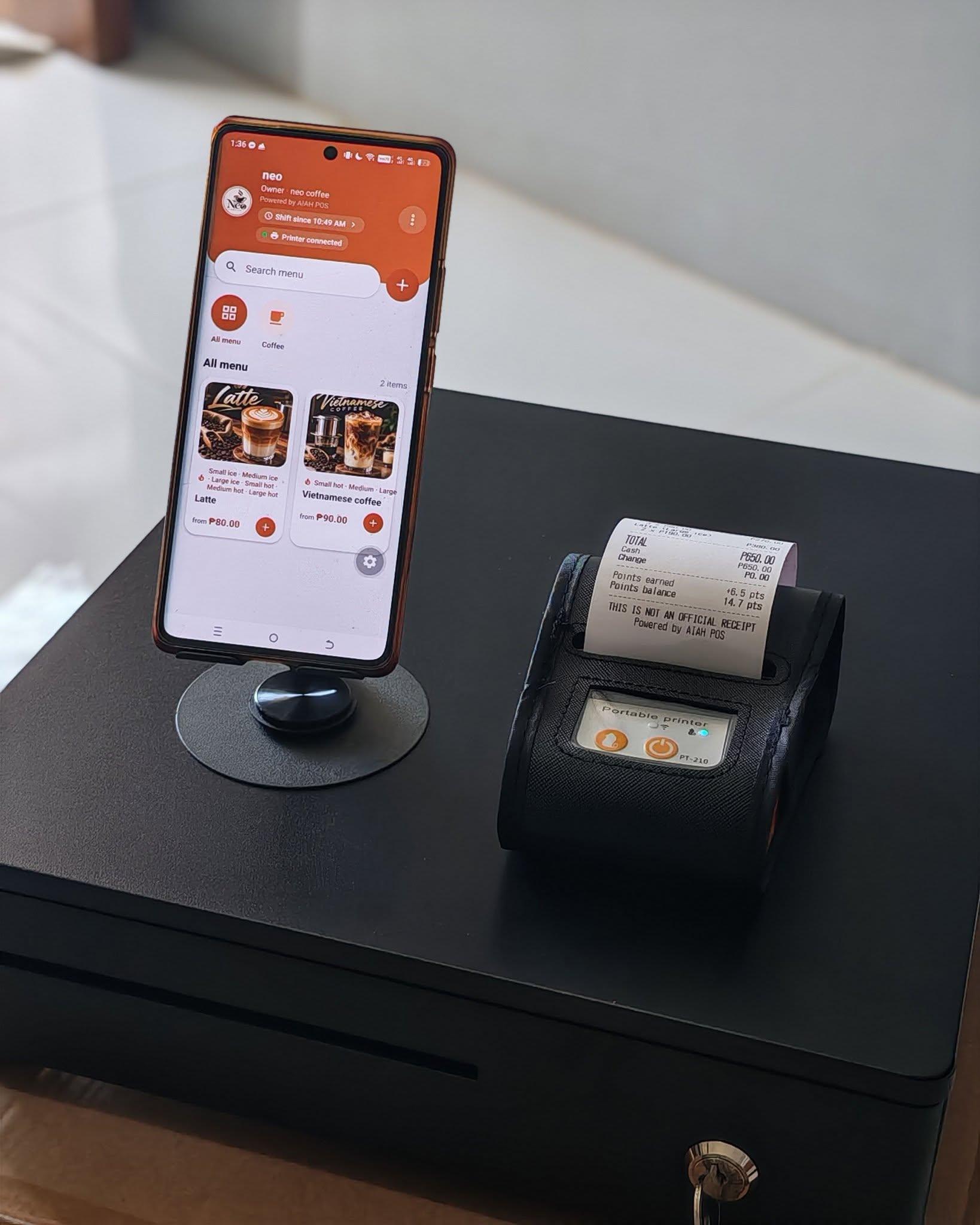
Everything the counter needs
Built for shops in the Philippines, with prices in pesos and VAT already included in your prices.
Fast selling
Menu with photos, categories and sizes like Small, Iced or 16 oz. Tap, pay, done.
Works offline
No internet, no problem. Everything is saved on the phone, so you keep selling during brownouts and weak signal.
Receipt printing
Prints on Bluetooth thermal printers (58 or 80 mm) with your shop logo. Auto-print after every sale.
Cashier shifts
Opening cash, cash in and out, and the expected cash at closing. Know right away if the drawer is short.
Sales reports
Daily, weekly and monthly totals, best sellers, VAT and payment breakdown. Export to PDF or Excel.
Stock tracking
Count stock per item, get low-stock warnings and see every delivery and correction.
Suki points
Regular customers earn points on every purchase and trade them for free items.
Owner and cashier
Each person logs in with a PIN. Cashiers sell; only the owner can void, edit the menu and see all reports.
Backup and restore
Save a backup of your sales and menu, and bring it back on a new phone.
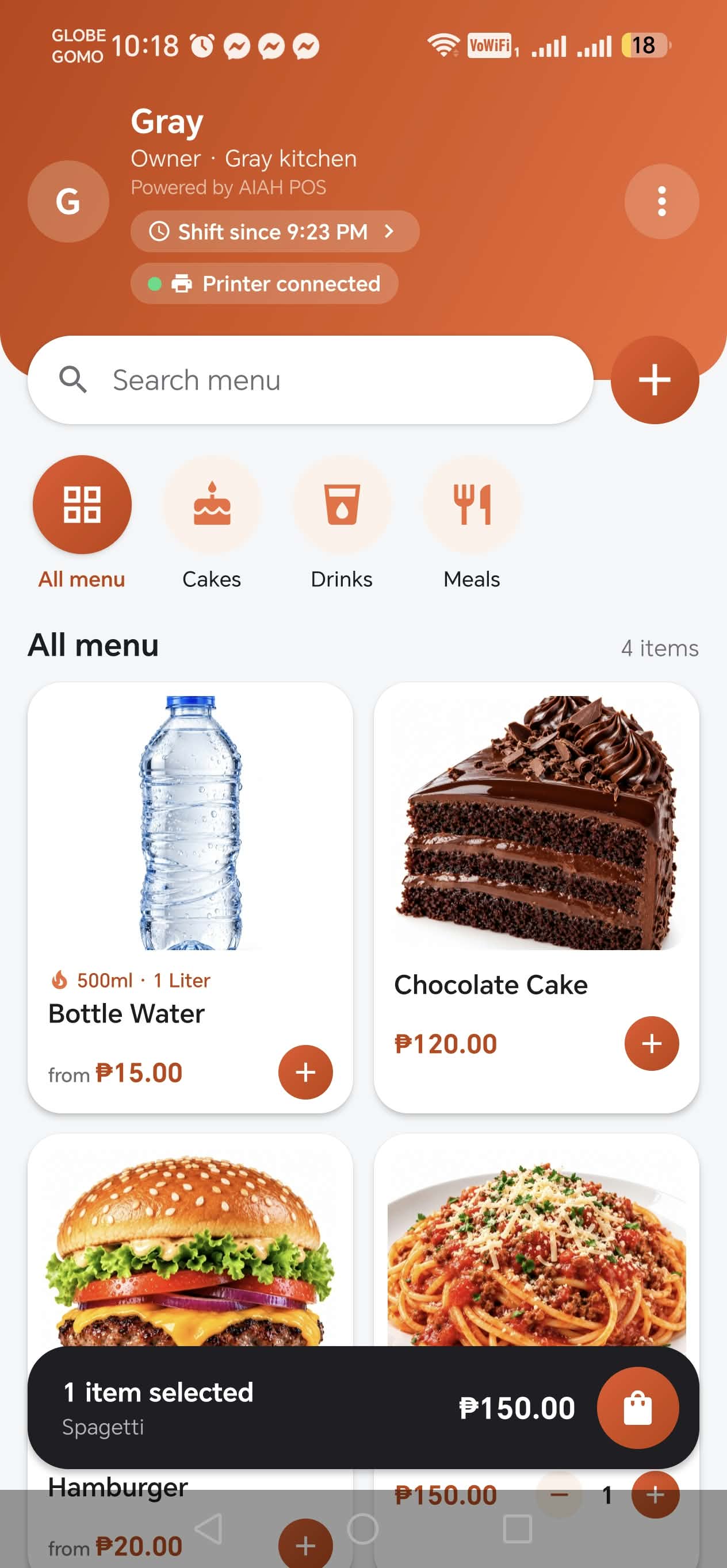
Your shop, your brand
Set your shop name and logo once. They show in the app and on every receipt.
- Search the menu or tap a category, then add items with one tap
- See at a glance if your shift is open and the printer is connected
- Change and suki points are worked out for you
- Void a sale with a reason. Sales are never deleted
How to start
- 1
Download the app
Get the app from our download page and install it on an Android phone or tablet.
- 2
Try it free for 7 days
Add your menu, connect your printer and start selling. No key needed during the trial.
- 3
Buy your licence key
Message us by email or Facebook. We send you a key like AIAH-XXXX-XXXX-XXXX.
- 4
Activate once
Enter the key in More → Licence while connected to the internet. After that it works offline.
Pricing
One payment per shop. Every package includes all features and free app updates.
App only
Already have an Android phone or tablet? Just add the app.
₱3,000
- AIAH POS licence for 1 phone or tablet
- All features included
- Free app updates
- Setup help by chat
App + printer + cash drawer
Everything for the counter. Use your own phone or tablet.
₱7,000
- AIAH POS licence for 1 phone or tablet
- Bluetooth receipt printer (58 mm)
- Cash drawer with key
- Setup help by chat
Complete set
Ready to sell on day one. Nothing else to buy.
₱18,000
- Android cellphone with AIAH POS installed
- Bluetooth receipt printer (58 mm)
- Cash drawer with key
- Setup help by chat
Not sure yet? Download the app and use it free for 7 days first.
Questions
Do I need internet?
Only once, to activate your licence key. Selling, printing, reports and everything else work without internet.
Which phones does it work on?
Android phones and tablets (Android 7.0 or newer). It is not available for iPhone.
Can I use one key on two phones?
No. A key works on one phone. If you change phones or reset your phone, message us and we will move your key to the new phone.
Which printers work?
Bluetooth thermal receipt printers that use ESC/POS, with 58 mm or 80 mm paper. It is tested with the PT-210 portable printer.
Is the receipt an official receipt?
No. AIAH POS is not BIR-accredited, so every receipt says "This is not an official receipt". Use it as a sales slip for your customers.
What happens after the free trial?
The app asks for a licence key. Your menu and sales stay saved on the phone, and you continue as soon as you activate.
How do I get updates?
Small updates download by themselves when the phone is online. For bigger updates we post a new version on the download page; install it over the old one and your data stays.
Ready to order?
Message us with your shop name and the package you want. We reply with the payment details and send your licence key by email.
jrtechnology@gmail.com